MyHommi reads the homework, on screen or on paper, and helps right there.
No copying, pasting or retyping. It works on the question already on the page.
AI is the engine. MyHommi shapes it into step-by-step teaching.
Teaches, never cheats.
A Chrome extension for students roughly 9–18
Only when your child asks. Never in the background.
A familiar homework evening?
It helps. Then it hands the work back.
You’re not failing. The right explanation just isn’t in the room.
Three ways to help.
Screen, Coach and Practice, side by side — each with a real example of what it does.
Reads ordinary homework pages and coaches beside them.
A space of its own for paper, files and screen snips.
Bring me anything you’re working on. If you’re stuck I’ll coach you through it step by step; if you’ve finished I’ll check it and show you what to fix. Hint nudges, Explain teaches the idea, Check looks at your work.
→ Tap + above to add your workLines 1 and 2 hold. Line 3 is where it turns — you divided where the method multiplies.
Save tricky words to My Words and revisit them as flashcards.
After each card, choose “Still learning” or “Got it”.
Hint Explain CheckA prepared example, not the live coach.
AI is the engine. Teaching is the design.
MyHommi is not a general chatbot placed beside homework. It combines AI with a structured coaching approach:
- 1Understand the task
- 2Ask before telling
- 3Give the smallest useful hint
- 4Explain it another way
- 5The child finishes
Asked outright
Just give me the answer
Ask outright and you get a smaller step, not the answer.
The AI understands and explains. MyHommi adds the homework context, coaching rules and safeguards that shape how help is given.
AI can make mistakes. MyHommi supports learning, but does not replace a teacher or the child’s own judgement.
What’s due, and what needs attention next.
Agenda, school portal, group chat — you add the tasks yourself, in one place.
Homework Planner
Today
0 of 3 done · let’s begin
Two to do now. One to prepare.
Do now
- Maths: Percentages worksheet Q1–Q12 StartI’m stuck→ tomorrow
- English: Read Chapter 5 StartI’m stuck→ tomorrow
Get ready for Mon
- Physics: Speed and acceleration Q1–Q8 Practice
Less “I can’t do this.” More “Wait — I get it.”
What families need, answered.
Clear limits before public release.
Every step is in the privacy notice.
It responds differently when something bigger than homework comes up.
After a long day, in subjects you half remember
MyHommi asks the next useful question. You don’t need to have the answer.
Different ages, different needs
One Family plan: up to three student profiles, each with their own level, words and progress.
How much help is right, per child
Limits and help level sit behind a parent PIN. Wellbeing counters, never transcripts.
Built by a father of three who knows how hard helping can be.
Homework in our house crosses languages and school systems. My children learn in Dutch; I went to school in another country, with different methods and different ways of explaining things.
After work, there is not always time to relearn the lesson before helping. AI can help too, but it can also make giving the answer far too easy.
I built MyHommi for that gap: patient help that understands the work and keeps the thinking with the child.
The best result is not “finished”. It is “I get it. I did it myself.”
A father of three · founder, MyHommi

Built at the family desk, for homework across languages and school systems.
More students moving. No answers handed out.
MyHommi is designed to coach beside work on Chrome laptops while the teacher goes where they are most needed.
The challenge
One teacher, thirty screens, and every hand up at once. Generic AI is already in the room — and it hands answers out.
With MyHommi
Stuck stops being a queue. MyHommi asks the next useful question right where the work is — and never just gives the answer.
Designed so routine “what do I do?” moments are coached on screen, while you go to the students who need you most.
The AI is the engine; the coaching rules are the design. Hints instead of answers, method before result, Exam Mode for real tests.
Profiles, planner and progress stay on the device. No ads, no accounts for children, and limits that parents and teachers set.
Bringing MyHommi to your school
After the public Chrome Web Store release you add it to the Chromebooks you already have, and it coaches beside the work you set. For a whole year group: talk to us — school-wide deployment with central management is on our roadmap — not available yet.
Read the school overviewWatch MyHommi teach, not tell.
From a homework question to “I did it myself.”
See every screen up close.
Arrows move through Screen, Coach, Practice and My Words.
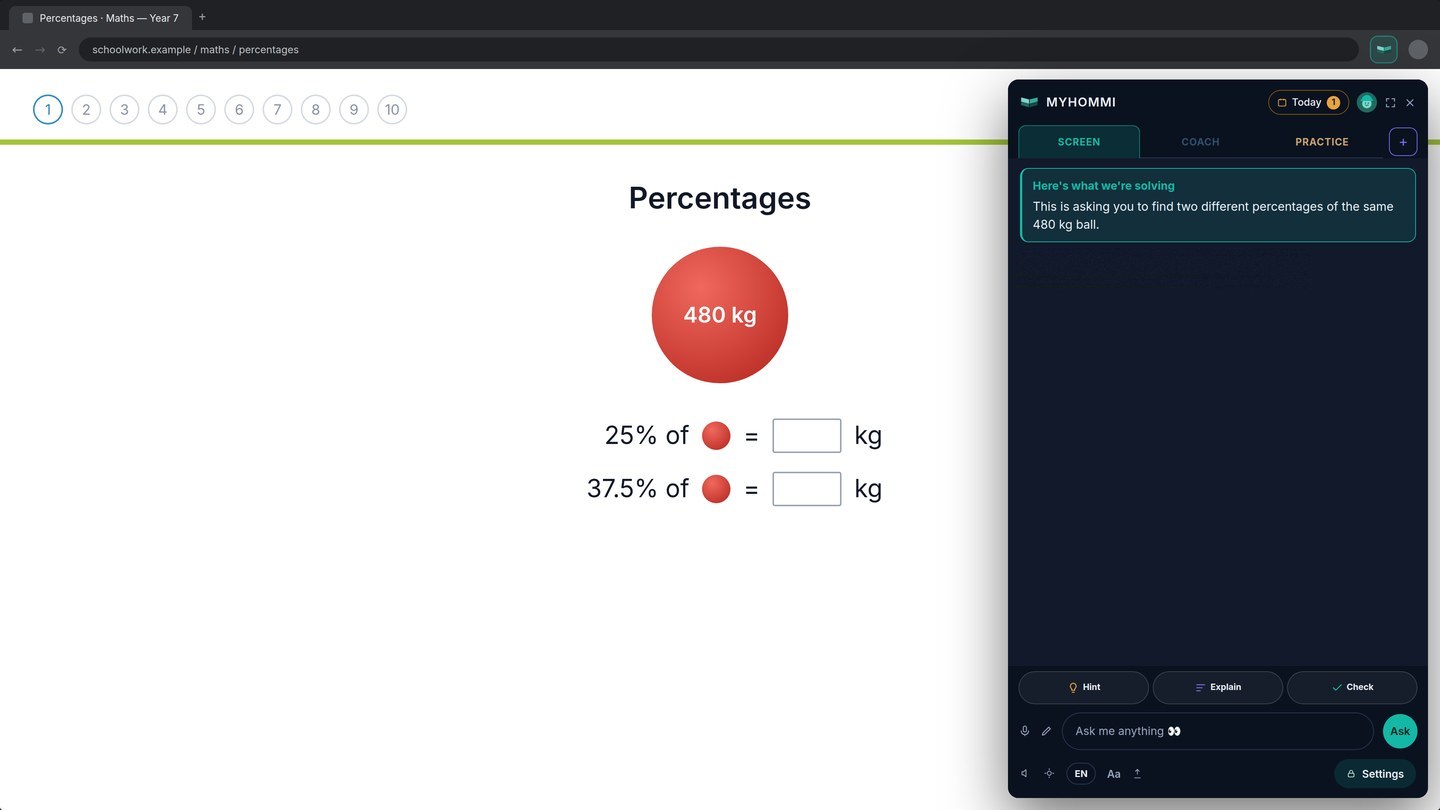
Reads the question already open on screen.
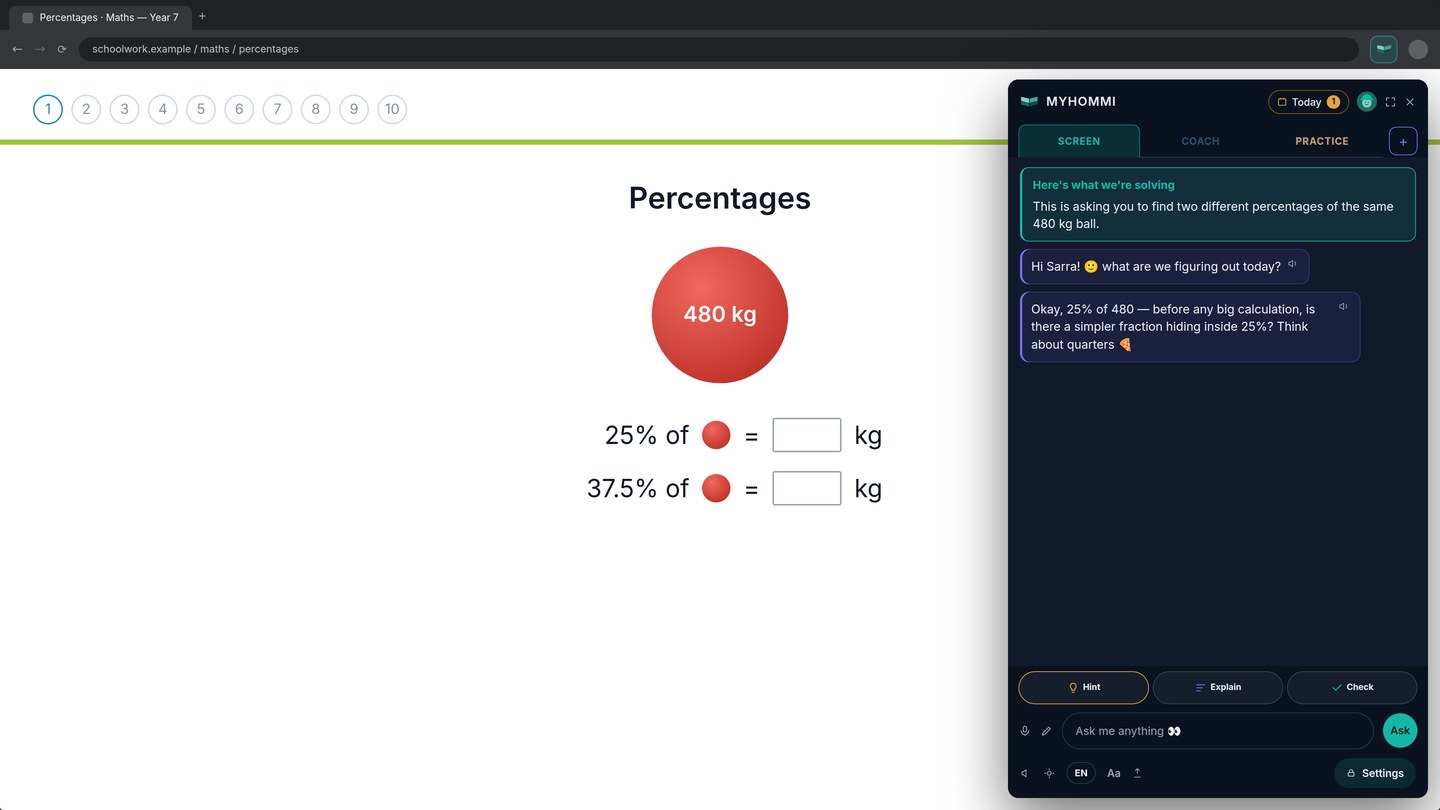
Starts with one useful next step.
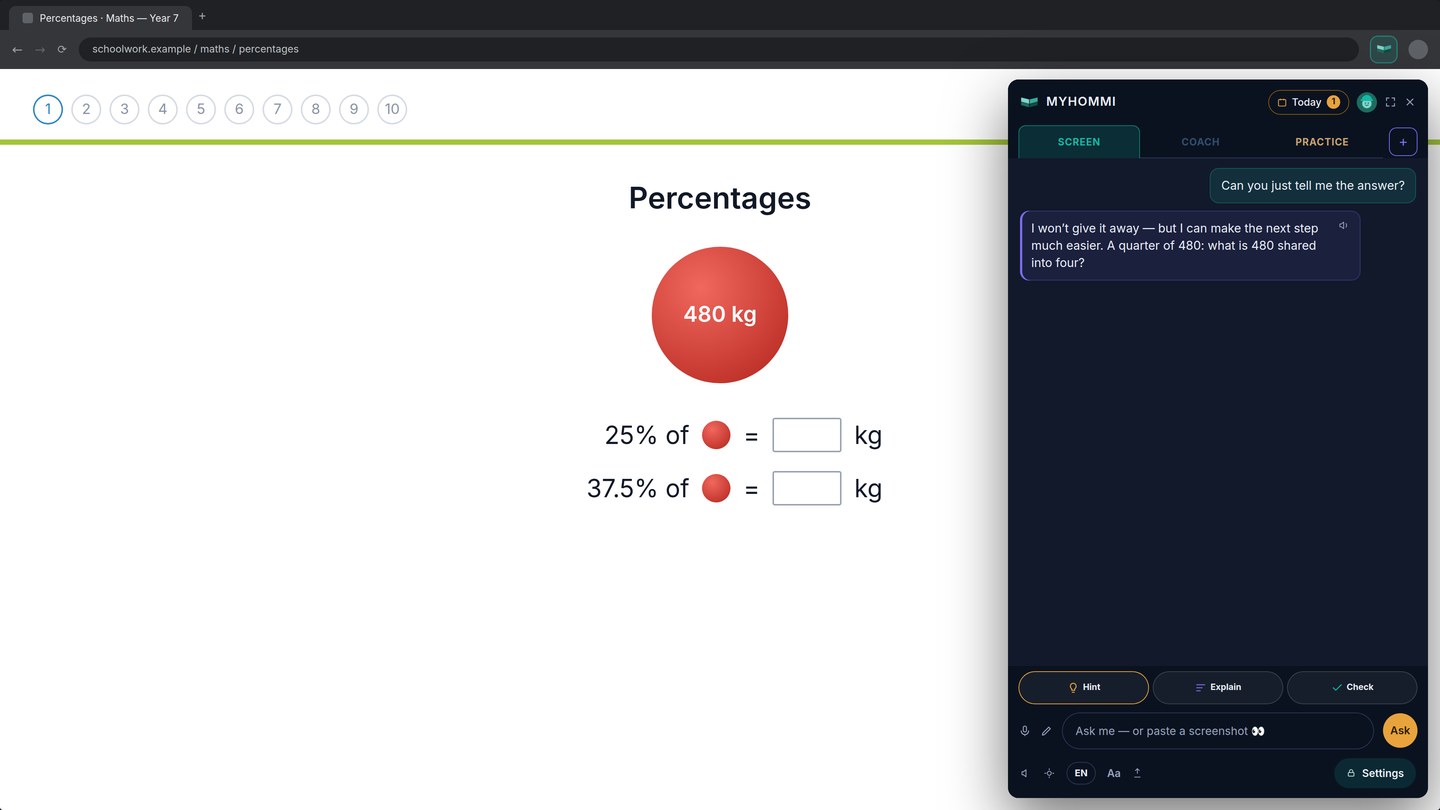
Asked for the answer? MyHommi guides instead.
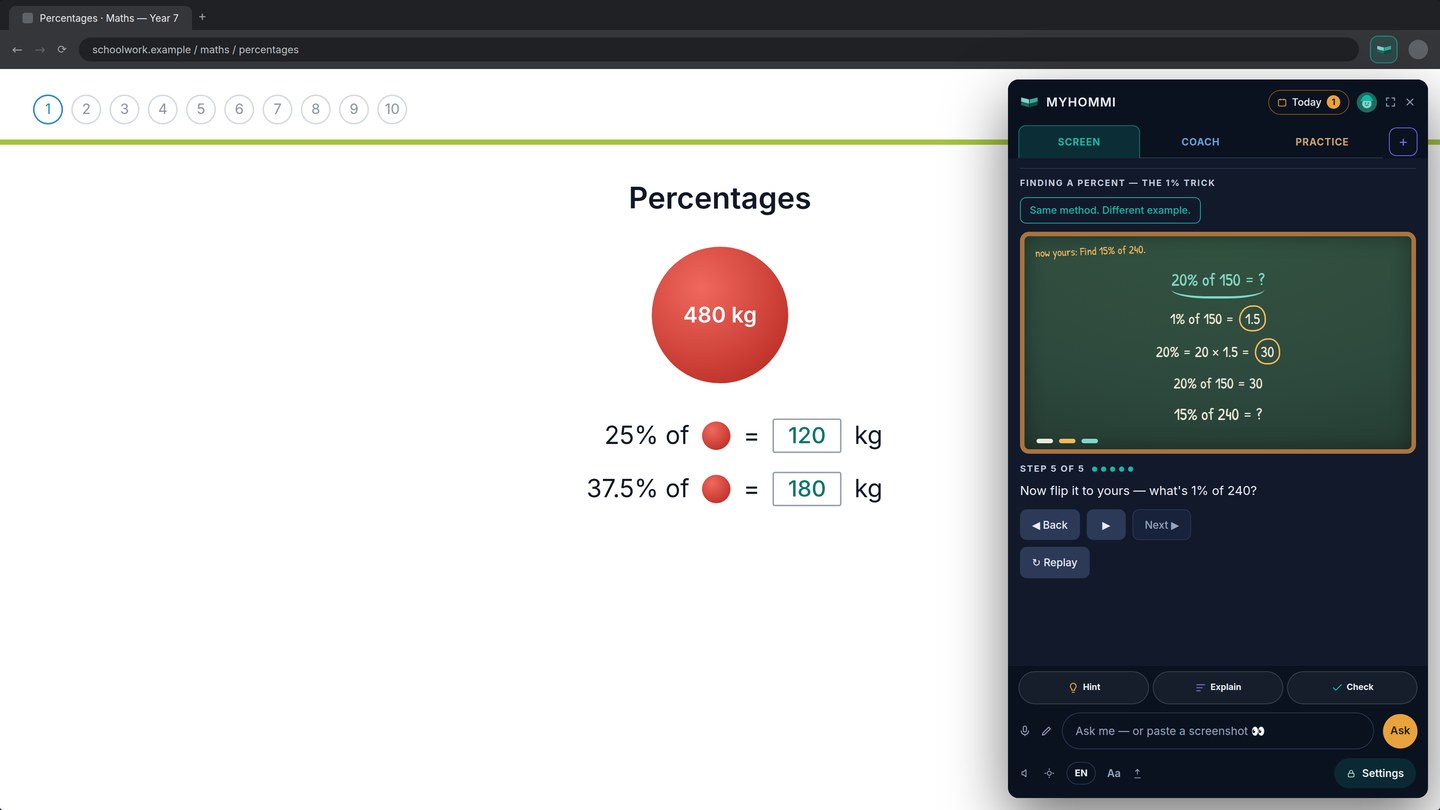
Guided Board shows the method with a different example.
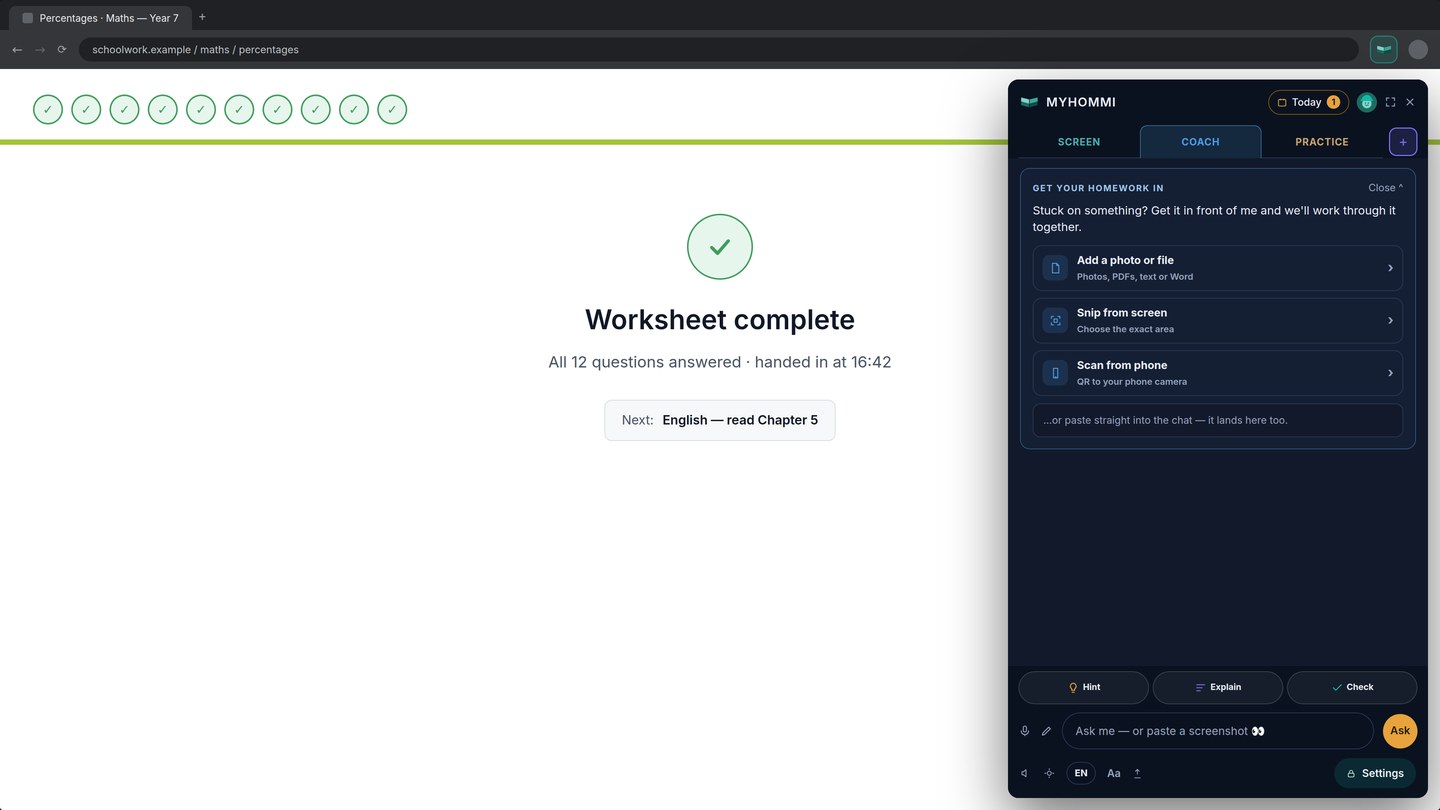
Paper or file? Bring it into Coach.
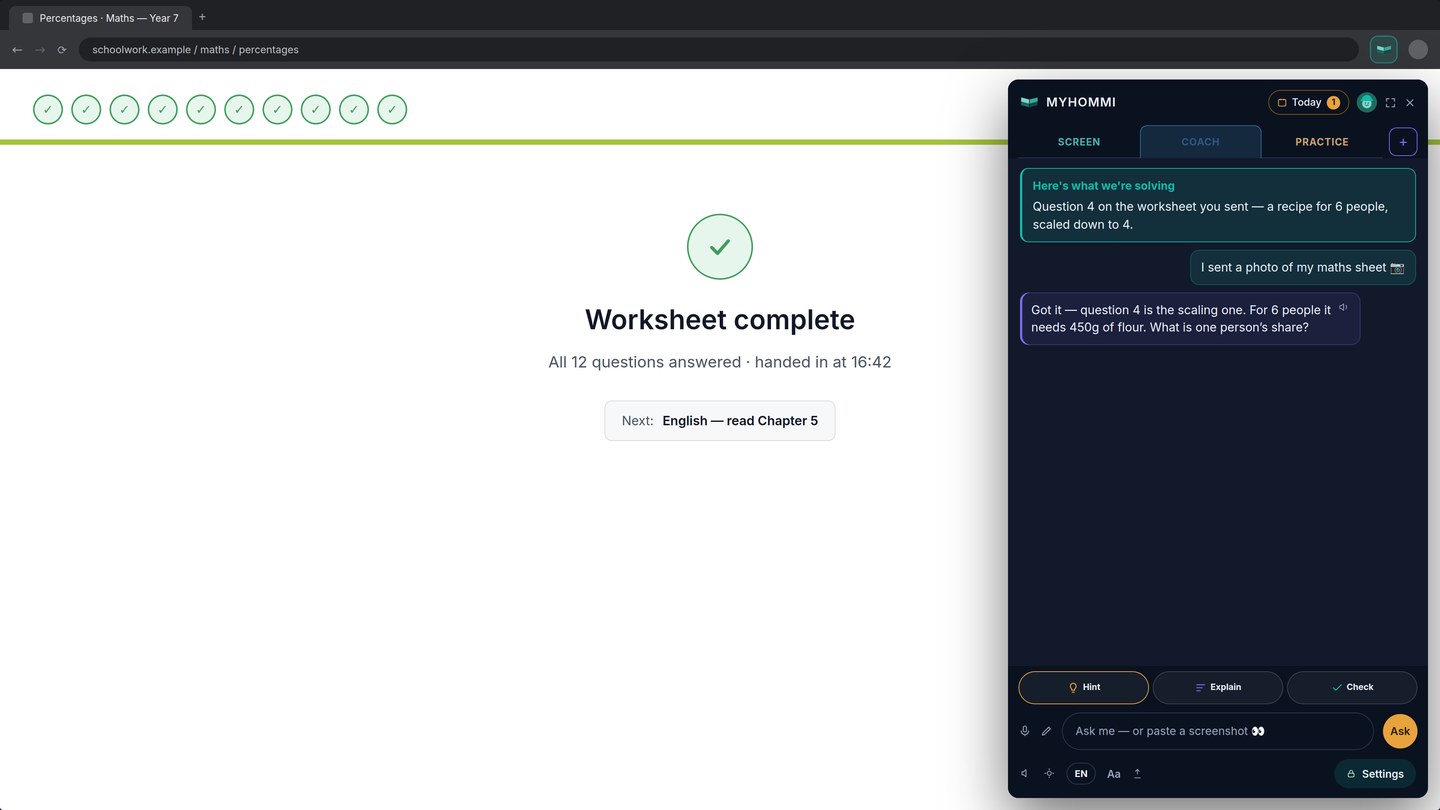
Work through a photographed question one step at a time.
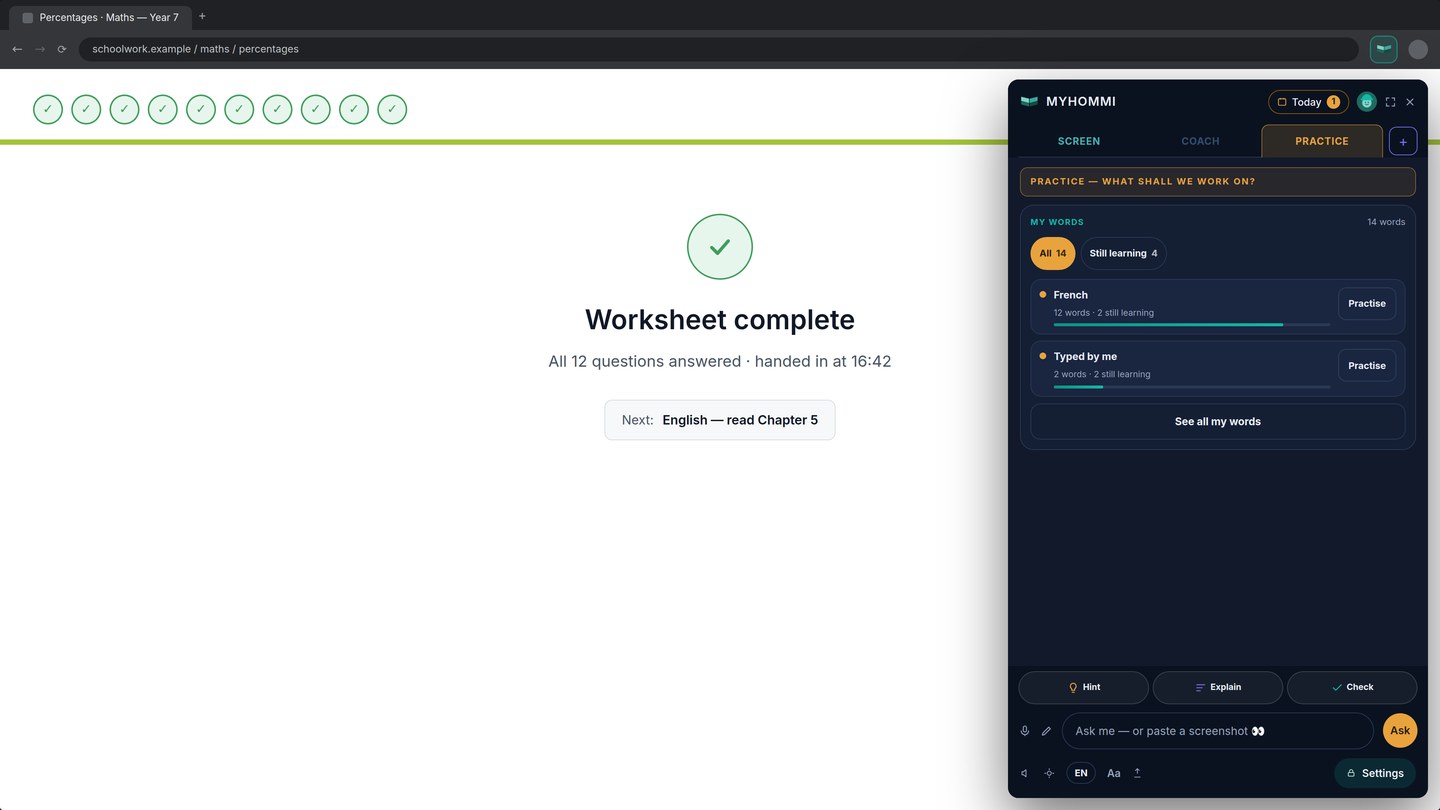
Save difficult words in My Words.
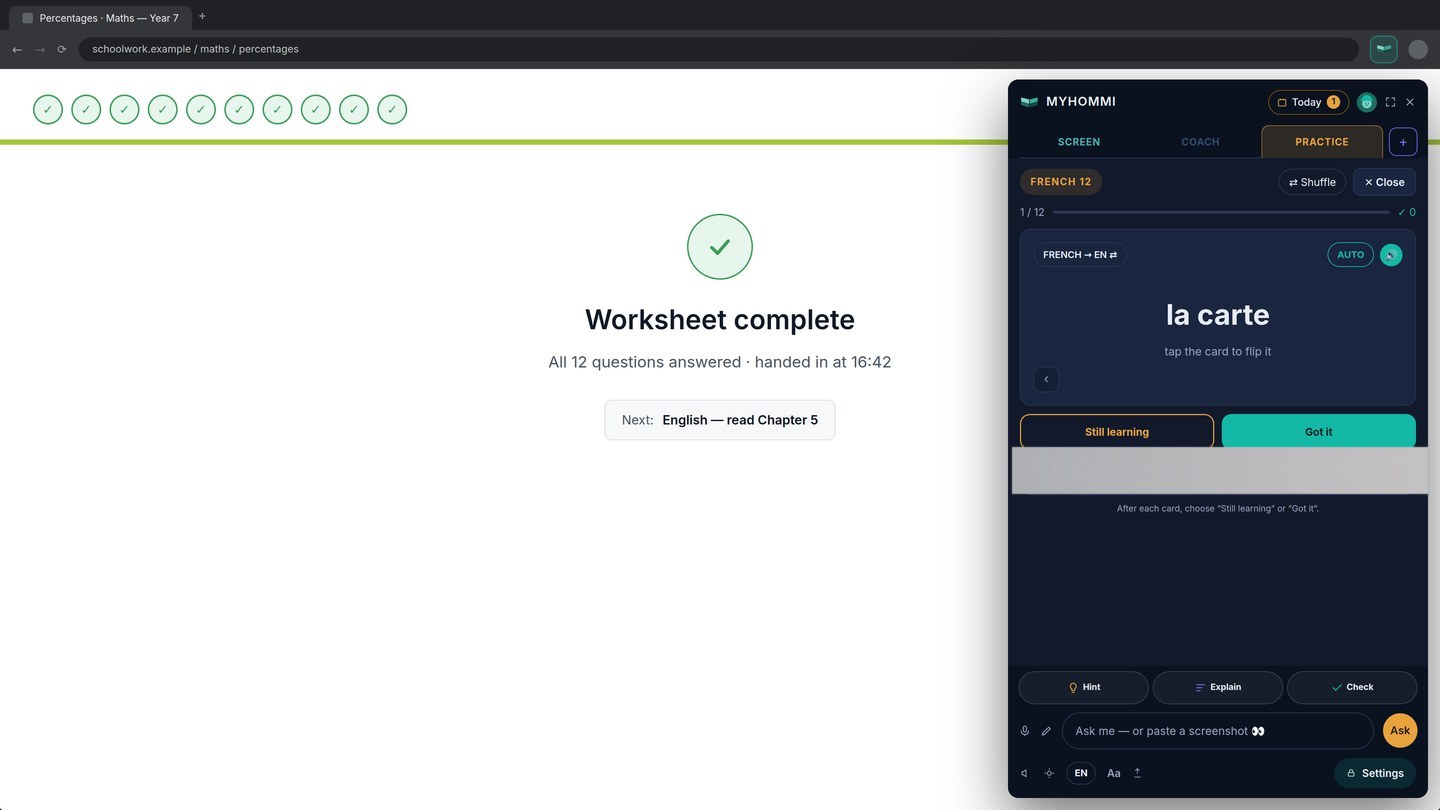
Practise with flashcards and mark what still needs work.
Prepared product examples. No private homework, school or account data.
Planned launch pricing.
No payment is taken on this website today. These are the intended family prices when the public V1 launches.
Single
€10/ month
billed monthly
€100/ year
billed annually · Save €20
≈ €8.33 a month
- One student profile
- Screen, Coach and Practice
Family
€20/ month
billed monthly
€200/ year
billed annually · Save €40
≈ €16.67 a month
- Up to three student profiles
- Each child their own setup and progress
Schools
Let’s talk
Let’s talk
- Chrome laptops you already have
- Coaching beside the work you set
- Central management is being built
The public Chrome release is being prepared. No download or payment is available on this website today.
Questions
Does MyHommi give students the answer?
How does it see the homework?
Who and what is it for?
Can my child use it for languages?
Does it plan homework as well?
Does it work on every website?
Help that ends in “I did it myself.”
Explore the prepared product preview now. The public Chrome release and payment options will appear only when they are ready.